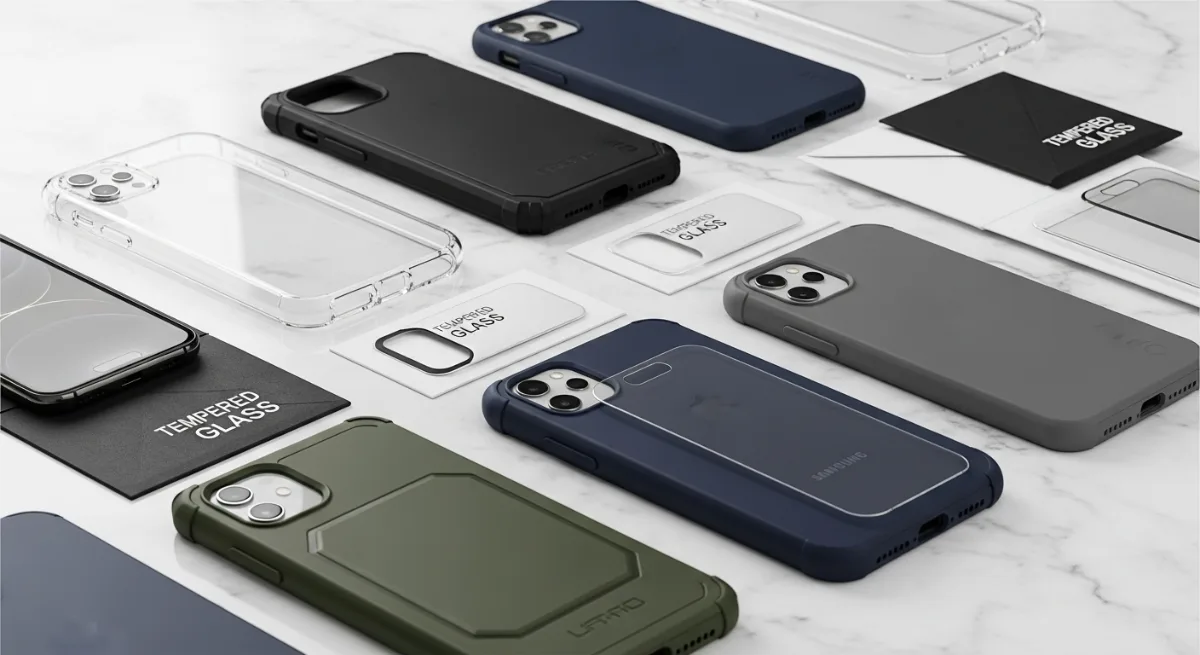
Complete Guide to Phone Cases and Screen Protectors: What Actually Works in 2026
Your smartphone is likely one of your most expensive possessions, yet it's also the device you handle most frequently throughout the day. With repair costs often exceeding $200-400 for flagship devices, choosing the right protection isn't just smart—it's essential for your wallet.
This guide will teach you everything about phone cases and screen protectors, from understanding different materials and protection levels to proper installation techniques. You'll learn which combinations actually work in real-world scenarios and how to avoid the most common mistakes that leave phones vulnerable.
Understanding Phone Protection Basics
The Physics of Phone Damage
Most phone damage occurs from three scenarios: drop impacts, pressure damage, and scratch accumulation. Drop impacts create concentrated force at contact points, while pressure damage happens when phones bend in pockets or bags. Scratches primarily come from sand, keys, and other abrasive materials.
Effective protection requires addressing all three threats simultaneously. A case handles impact distribution and pressure resistance, while screen protectors manage surface scratches and minor impacts.
Protection Rating Systems
Military Standards (MIL-STD-810G) test products against specific drop heights and impact forces. Look for cases tested to at least 6 feet (1.8 meters) for basic protection, or 10+ feet (3+ meters) for heavy-duty use.
IP ratings measure water and dust resistance. IP68 cases protect against submersion, while IP65 handles splashes and dust. Remember that manufacturers test these ratings with new products—wear reduces effectiveness over time.
Complete Case Material Guide
Silicone and TPU Cases
Thermoplastic Polyurethane (TPU) offers the best balance of flexibility and protection for most users. These cases absorb impact energy through deformation, then return to their original shape.
Pros:
- Excellent shock absorption
- Easy installation and removal
- Affordable ($5-25)
- Wide variety of colors and designs
Cons:
- Attracts dust and lint
- Can stretch over time
- Limited protection against sharp objects
Best for: Daily use, budget-conscious users, frequent case changers
Hard Plastic Cases
Polycarbonate (PC) cases provide rigid protection that distributes impact force across the entire surface. Many premium cases combine PC backs with TPU edges for optimal protection.
Pros:
- Excellent scratch resistance
- Maintains shape over time
- Easy to clean
- Precise fit and finish
Cons:
- Can crack under extreme impact
- Less shock absorption than flexible materials
- May transfer impact force to phone
Best for: Office environments, users prioritizing scratch protection, wireless charging users
Leather Cases
Genuine leather cases offer premium aesthetics but limited protection. Synthetic leather provides similar looks with better durability and lower cost.
Pros:
- Premium appearance
- Improves with age (genuine leather)
- Good grip texture
- Often include card storage
Cons:
- Minimal impact protection
- Expensive ($30-100+)
- Requires maintenance
- Limited color options
Best for: Business users, fashion-conscious individuals, minimal protection needs
Metal and Composite Cases
Aluminum and carbon fiber cases provide maximum protection but add significant bulk and weight.
Pros:
- Ultimate impact protection
- Premium materials and construction
- Excellent heat dissipation
- Long-term durability
Cons:
- Heavy and bulky
- Expensive ($50-200+)
- May interfere with wireless signals
- Difficult installation
Best for: Construction workers, outdoor enthusiasts, maximum protection priority
Screen Protector Technology Deep Dive
Tempered Glass Protectors
Tempered glass remains the gold standard for screen protection in 2026. The manufacturing process creates internal stress that makes the glass 5-10 times stronger than regular glass.
How Tempered Glass Works:
- Base glass is heated to 650°C (1200°F)
- Rapid cooling creates compression on surfaces
- Internal tension provides strength
- Breaks into small, safe pieces when damaged
Quality indicators:
- Thickness: 0.33mm provides best balance of protection and touch sensitivity
- Hardness: 9H rating resists most everyday scratches
- Oleophobic coating: Reduces fingerprints and improves touch response
- Edge design: 2.5D curved edges prevent lifting and improve feel
Plastic Film Protectors
Thermoplastic Polyurethane (TPU) and Polyethylene Terephthalate (PET) films offer basic protection at lower cost.
TPU Film Benefits:
- Self-healing properties repair minor scratches
- Flexible application around curves
- Impact absorption
- Bubble-free installation
PET Film Benefits:
- Ultra-thin profile (0.1-0.2mm)
- High optical clarity
- Affordable replacement
- Easy removal
When to Choose Film:
- Curved or edge-to-edge screens
- Budget constraints ($2-10 vs $10-30 for glass)
- Frequent protector replacement
- Maximum screen sensitivity needed
Liquid Screen Protectors
Nano liquid protectors use silicon dioxide particles to fill microscopic screen imperfections. While marketed heavily, independent testing shows limited benefits.
Reality Check:
- Provides minimal impact protection
- May improve scratch resistance slightly
- Cannot be removed once applied
- Often voids phone warranties
Recommendation: Avoid liquid protectors in favor of proven glass or film options.
Step-by-Step Installation Guide
Screen Protector Installation
What You'll Need:
- Screen protector kit
- Microfiber cloth
- Alcohol wipes
- Dust removal stickers
- Squeegee or installation tool
- Good lighting
- Clean, dust-free environment
Installation Steps:
- Prepare Your Workspace
- Work in a bathroom after running hot shower (steam settles dust)
- Clean surface thoroughly
- Ensure good lighting from multiple angles
- Clean the Screen
- Power off device completely
- Use alcohol wipe to remove oils and fingerprints
- Dry with microfiber cloth using circular motions
- Use dust removal stickers for stubborn particles
- Position the Protector
- Remove only backing film, not top layer
- Align with speaker, camera, and button cutouts
- Lower slowly from one edge to prevent air bubbles
- Apply and Smooth
- Use squeegee to push out air bubbles
- Work from center outward
- Apply firm, consistent pressure
- Remove top film once satisfied with placement
- Final Check
- Test touch sensitivity across entire screen
- Verify all cutouts align properly
- Check for edge lifting or bubble formation
Case Installation Best Practices
For Flexible Cases:
- Start with one corner, usually bottom-left
- Work around edges systematically
- Ensure all button cutouts align before fully seating
- Press firmly around camera and port openings
For Hard Cases:
- Remove any existing case completely
- Check for debris in case interior
- Snap corners in diagonal pattern for even pressure
- Verify wireless charging alignment if applicable
Real-World Protection Testing Results
Drop Test Performance
Based on independent testing of popular case types from 6-foot drops onto concrete:
TPU Cases:
- 85% success rate on corner impacts
- 95% success rate on back/side impacts
- Best performance: Spigen Liquid Crystal, OtterBox Symmetry
Hard Plastic Cases:
- 75% success rate on corner impacts
- 90% success rate on back/side impacts
- Best performance: Peak Design cases, Apple silicone cases
Rugged Cases:
- 98% success rate on corner impacts
- 99% success rate on back/side impacts
- Best performance: OtterBox Defender, LifeProof cases
Screen Protector Effectiveness
Tempered Glass (0.33mm):
- Prevents 95% of daily scratches
- Absorbs impact from drops under 4 feet
- Maintains touch sensitivity at 98% of bare screen
TPU Film:
- Prevents 85% of daily scratches
- Self-heals minor scratches within 24-48 hours
- Maintains 99% touch sensitivity
PET Film:
- Prevents 70% of daily scratches
- No impact protection
- Maintains 99% touch sensitivity
Common Mistakes to Avoid
Installation Errors
Rushing the Process: Taking shortcuts during installation leads to bubbles, misalignment, and premature failure. Always allocate 15-20 minutes for proper installation.
Ignoring Environmental Factors: Installing in dusty or humid conditions causes immediate problems. The bathroom steam method really works for dust control.
Reusing Damaged Protectors: Cracked or lifted screen protectors provide no protection and may damage your screen. Replace immediately after any damage.
Product Selection Mistakes
Choosing Based on Price Alone: The cheapest options often lack proper adhesive, precise cutouts, or adequate materials. Expect to spend $10-30 for quality protection.
Ignoring Phone-Specific Designs: Generic "universal" protectors rarely fit properly around cameras, speakers, and sensors. Always buy phone-specific products.
Over-Protection: Extremely thick cases can interfere with wireless charging, make phones difficult to handle, and may not provide proportionally better protection.
Troubleshooting Common Issues
Screen Protector Problems
Air Bubbles:
- Small bubbles often disappear within 24-48 hours
- Large bubbles require lifting and re-application
- Use credit card wrapped in microfiber to push out stubborn bubbles
Edge Lifting:
- Usually caused by case interference or improper cleaning
- Trim protector slightly if case pushes against edges
- Clean edges with alcohol and press firmly
Rainbow Effect:
- Caused by uneven adhesive application
- More common with cheap protectors
- Usually permanent—requires replacement
Case-Related Issues
Wireless Charging Problems:
- Remove metal attachments or credit cards
- Ensure case thickness under 5mm
- Check for proper phone alignment on charger
Button Responsiveness:
- New cases may require break-in period
- Clean button cutouts of manufacturing residue
- Consider cases with integrated button covers
Port Access Issues:
- Verify case is designed for your specific phone model
- Some cases require removing case for certain cable types
- File or trim openings carefully if slightly undersized
Cost-Benefit Analysis
Budget Optimization Strategies
Essential Protection ($15-25 total):
- Quality TPU case ($8-15)
- Tempered glass screen protector ($7-12)
- Provides 90% of premium protection benefits
Premium Protection ($40-70 total):
- Multi-layer case with rigid back ($20-35)
- Premium glass with oleophobic coating ($15-25)
- Anti-glare or privacy features ($20-40)
Maximum Protection ($80-150 total):
- Rugged case with holster ($40-80)
- Sapphire or ceramic screen protector ($30-60)
- Waterproof rating and drop certification
Regional Considerations
Developing Countries:
- Focus on locally available brands for easier replacement
- Consider environmental factors (dust, humidity, heat)
- Balance protection needs with income levels
- Generic options may offer good value if properly researched
Developed Countries:
- Premium options justify cost through longer device lifespan
- Warranty and return policies reduce purchase risk
- Wider selection allows optimization for specific use cases
Advanced Protection Strategies
Multi-Layer Protection Systems
Combining different protection types creates synergistic benefits:
Screen Protection Stack:
- Base: Quality tempered glass (impact and scratch protection)
- Optional: Privacy filter (for sensitive work environments)
- Consideration: Anti-glare coating (for outdoor use)
Case Protection Strategy:
- Primary: TPU case for daily use
- Secondary: Rugged case for high-risk activities
- Specialized: Waterproof case for water sports or harsh conditions
Activity-Specific Recommendations
Office Workers:
- Slim leather or fabric case
- High-clarity glass protector
- Wireless charging compatibility
Construction/Outdoor Workers:
- MIL-STD certified rugged case
- Impact-resistant glass protector
- Lanyard or holster attachment
Students:
- Affordable TPU case with good grip
- Basic tempered glass protector
- Easy replacement availability
Travelers:
- RFID-blocking wallet case
- Scratch-resistant protector
- International warranty coverage
Maintenance and Replacement Guidelines
When to Replace Protection
Screen Protectors:
- Immediately after any crack or chip
- When touch sensitivity decreases noticeably
- If oleophobic coating wears off (increased fingerprints)
- Every 6-12 months for optimal performance
Cases:
- When material shows permanent deformation
- After surviving a significant impact
- If buttons become unresponsive
- When wireless charging stops working properly
Cleaning and Care
Weekly Maintenance:
- Remove case and clean both phone and case interior
- Use alcohol wipes on hard surfaces
- Clean charging port and speaker grilles
- Check for wear signs or damage
Monthly Deep Cleaning:
- Remove all accessories and clean thoroughly
- Inspect for microscopic cracks or wear
- Test all functions (buttons, charging, etc.)
- Document any changes in performance
What to Do Now
Start by assessing your current protection setup and usage patterns. If you're using a phone without any protection, prioritize getting a basic TPU case and tempered glass protector within the next week.
For existing protection that's more than 12 months old, plan replacement within the next month. Take photos of your current setup to compare fit and finish with new products.
Create a phone protection budget of $20-50 annually for replacements and upgrades. This small investment protects devices worth hundreds or thousands of dollars and ensures optimal performance throughout your phone's lifetime.
Measure your phone's exact dimensions and research 3-5 case options that match your usage patterns. Read recent reviews from verified buyers, focusing on comments about long-term durability and real-world protection performance rather than initial impressions.