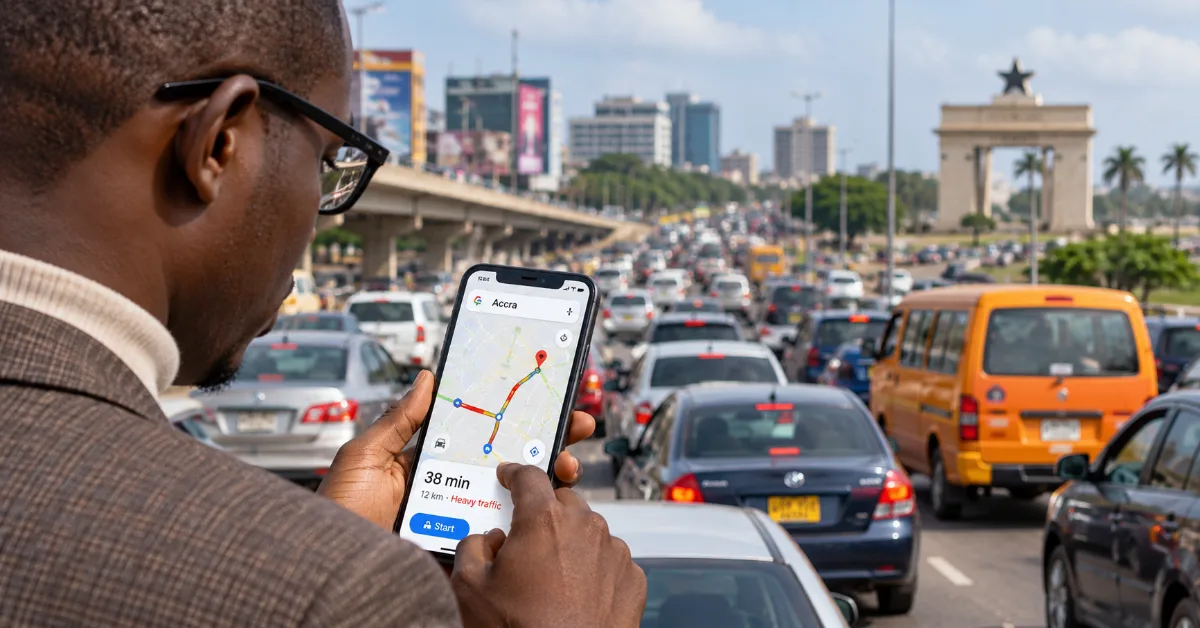
Here's the deal: Accra traffic is structurally broken. A parliamentary statement citing a World Bank report noted that 70% of major roads in Accra operate below 20 km/h at some point during the day — and that's not a 2020 problem that got fixed. It's the daily reality in 2026. A distance that should take you 10 minutes in the CBD can easily eat an hour or two, as Parliament's own floor debates have confirmed. Road infrastructure hasn't grown anywhere near fast enough to keep up with the city.
The point of this article isn't to complain about that (we've all got enough of that to do ourselves). It's to show you how to use what's already on your phone — right now — to stop being caught off guard by it.
First, Know Which Roads Are the Worst (and When)
You can't plan around traffic you haven't mapped in your head. So let's name names.
Spintex Road is consistently one of the worst. A MyJoyOnline analysis citing the Glima Research report described it as facing "gridlock conditions comparable to or worse than the Madina to 37 corridor during peak hours." The N1 highway — the city's supposed primary arterial road — is punctuated by traffic lights that prevent it from working as the expressway it was designed to be. Kwame Nkrumah Interchange at Circle handles an enormous volume from its arterial roads and remains a chokepoint despite being rebuilt as a three-tier structure.
Then there's the Accra-Nsawam road. The Ghanaian Times reported that commuters from Nsawam are spending more than four hours on a journey that should ordinarily take about ninety minutes, largely due to bad road sections at Doboro and Achimota. Mallam to Kasoa is another one explicitly flagged as among the worst gridlock routes in the country.
Rush hours are worse than you think on both ends. Mornings, traffic snakes painfully into the CBD. By evening, it reverses hard toward Legon, Madina, and beyond. And rainy season adds a whole new dimension — in June 2026, a single downpour submerged sections of the N1, the Kwame Nkrumah Interchange, the Accra-Kasoa stretch, and several other key routes, leaving commuters stranded for hours. Citi FM documented drivers stuck for three to four hours on the Atomic-Agbogba stretch alone after that evening's rain.
Knowing this shapes how you use your phone. You're not just navigating — you're forecasting.
1. Use Google Maps' "Depart At" Feature Before You Leave
This is probably the most underused feature on the app. Open Google Maps, enter your destination, then tap "Depart at" or "Arrive by" (it's in the route options before you start navigation). You can plug in a future departure time and the app uses historical traffic patterns to predict how long the trip will take at that specific hour.
So if you're deciding whether to leave at 7am or 7:45am, you can actually compare. It won't be perfect, but it gives you a real picture rather than a guess.
Google Maps' accuracy in Accra depends heavily on how many people are using the app in your area at any given time. A Medium piece analyzing how Google Maps reads Accra's traffic explained that in densely populated corridors like Accra Central, Osu, or Airport Residential, there are enough smartphones sending data to make predictions reasonably reliable. In quieter or outer areas, the data gets thinner and the predictions less trustworthy. So treat it as directional, not gospel.
2. Download Your Offline Map — But Understand What It Can and Can't Do
MTN, Telecel, and AT all have dead zones. Signal drops mid-journey on certain stretches, especially at night or in bad weather. If your nav app loses signal and you're on an unfamiliar road, you're stuck.
Google Maps lets you download offline maps over Wi-Fi so your basic navigation still works without data. Here's how to do it on Android:
- Open Google Maps and tap your profile picture in the top right
- Tap "Offline maps"
- Tap "Select your own map"
- Adjust the rectangle to cover the areas of Accra you drive through most
- Tap Download
If your phone's internal storage is tight, Google's own support pages note you can redirect offline map storage to an SD card: go to Offline maps → Settings gear → Storage preferences → SD card. Android Authority notes that downloaded maps can take up to 1.5 GB depending on the area, so download on Wi-Fi, not mobile data.
Here's the catch though — and it's a big one. Google's own documentation is clear: when you're offline, you don't get real-time traffic data or alternative routes. Your travel time estimate will calculate as if there's zero traffic. So the offline map is your fallback for basic navigation when signal drops, not your traffic-planning tool. Don't confuse the two.
Also set auto-update to Wi-Fi only. Android Authority notes downloaded maps expire, so you need updates — but you don't want those chewing through your mobile bundle.
3. Add Waze to Your Toolkit — It's Not the Same as Google Maps
A lot of people treat Waze and Google Maps as interchangeable. They're not.
Waze is community-driven. Its core value is that other drivers actively report accidents, road closures, police presence, and hazards in real time — and that data flows live into your route. Sensor Tower data from Q3 2025 shows Google Maps is by far the dominant navigation app in Ghana (peaking at around 732,000 active users in that quarter), which actually helps Waze too — Google acquired Waze back in 2013, and Waze user reports feed into Google Maps data as well.
The practical difference: Google Maps is better for overall route planning and traffic prediction based on historical patterns. Waze is better for in-the-moment hazard alerts — it'll tell you faster if there's an accident blocking Spintex Road right now than Google Maps will.
One real limitation: Waze has no offline mode at all. If your data drops, the app is blind. So it works best when you've got a solid MTN or Telecel signal and you're on a well-trafficked corridor where other users are also reporting.
Both apps are free on Android and iOS.
4. Build a Real-Time Alert System From Social Media
Honestly, some of the fastest traffic alerts in Accra don't come from an app — they come from people. Citi FM's Twitter/X account (@Citi973) has been consistently sharing real-time traffic updates, road closures, and flood alerts for years. During the June 2026 flooding, they were posting road-by-road breakdowns of which routes were impassable while it was still happening.
Here's a practical setup that costs you nothing:
- Follow @Citi973 (Citi FM) on X/Twitter — they post road alerts fast
- Follow @MyJoyOnline — good for major infrastructure and traffic news
- Search Facebook for Accra-specific community groups (search "Accra Traffic Updates" or "Accra Drivers" — membership-based groups where commuters post live updates)
- Turn on notifications for these accounts during your usual commute windows so you're not refreshing manually
The thing about Accra traffic is that the causes are often sudden and local — a broken-down truck at Tetteh Quarshie, a VIP convoy closing a lane on Liberation Road, flooding at the Odawna underbridge. No algorithm catches those faster than a driver who's already stuck there and posts about it.
5. Actually Use the "Preview Your Route" Habit
This one's behavioral, not technical — but it makes a real difference.
The night before any important trip (an early flight, a meeting at a client's office, a court date), open Google Maps and check your route for that specific departure time. Use the "Depart at" feature. Note what the predicted duration is. Then add buffer time accordingly.
Also: save your key locations as starred places or labeled locations in Google Maps (Home, Work, regular spots). This means when you open the app in a rush, you're not fumbling to type an address — you tap one saved spot and go. Small thing. Saves more time than you'd think.
And if you're heading somewhere new — Cantonment, Abelemkisi, Adenta — type the destination the night before, go to the address in Street View (where available), and look at the junction. Accra addressing is notoriously tricky. Knowing what a building looks like before you're already running late is a different kind of planning, but it's just as useful.
What About Rain Season?
Keep a separate eye on weather. When heavy rain hits Accra, the traffic situation doesn't just get worse — it becomes a different problem entirely. Roads flood. Routes that normally work fine become impassable. The N1, Kwame Nkrumah Interchange area, Accra-Kasoa, Weija, and low-lying Teshie and LEKMA routes are the consistent problem zones when it rains hard.
The Ghana Meteorological Agency (GMet) posts forecasts at meteo.gov.gh. Check it the evening before if rain looks likely. Paired with your traffic apps, it gives you enough of a heads-up to leave earlier or reroute before things lock up.
"I've been in this traffic for three to four hours" — a commercial driver on the Atomic-Agbogba stretch, speaking to Citi FM after June 2026 flooding. That's four hours on a stretch that should take 15 minutes. That's not traffic — that's a planning failure.
No app eliminates Accra traffic. The infrastructure problems are structural — the DVLA reports over 3 million registered vehicles, with the majority concentrated in Accra and Kumasi, on roads that haven't scaled to match. That's not solved by a phone app.
But you can stop being blindsided by it. Download your offline maps on Wi-Fi tonight. Set up your route preview habit before the next important day. Add Citi FM and Joy to your notifications. These are small moves. In Accra traffic, small moves add up fast.
Sources
- Parliament of Ghana — Road Traffic Congestion in the Capital Cities of Ghana (floor statement)
- MyJoyOnline — Gridlock as Governance Failure: A Long-term Policy Framework for Accra's Traffic Crisis
- Ghanaian Times — Traffic nightmare on Accra-Nsawam road worsens
- Citi Newsroom — Downpour paralyzes transport in Accra as roads become impassable (June 2026)
- Medium / Design Bootcamp — How Google Maps Knows the Traffic on Accra's Roads
- Google Maps Help — Download areas and navigate offline
- Sensor Tower — Top Navigation and Maps Apps in Ghana: Q3 2025
- AmaGhanaOnline — Flood Alert: Last Days of June as Accra Gets Worse (2026)