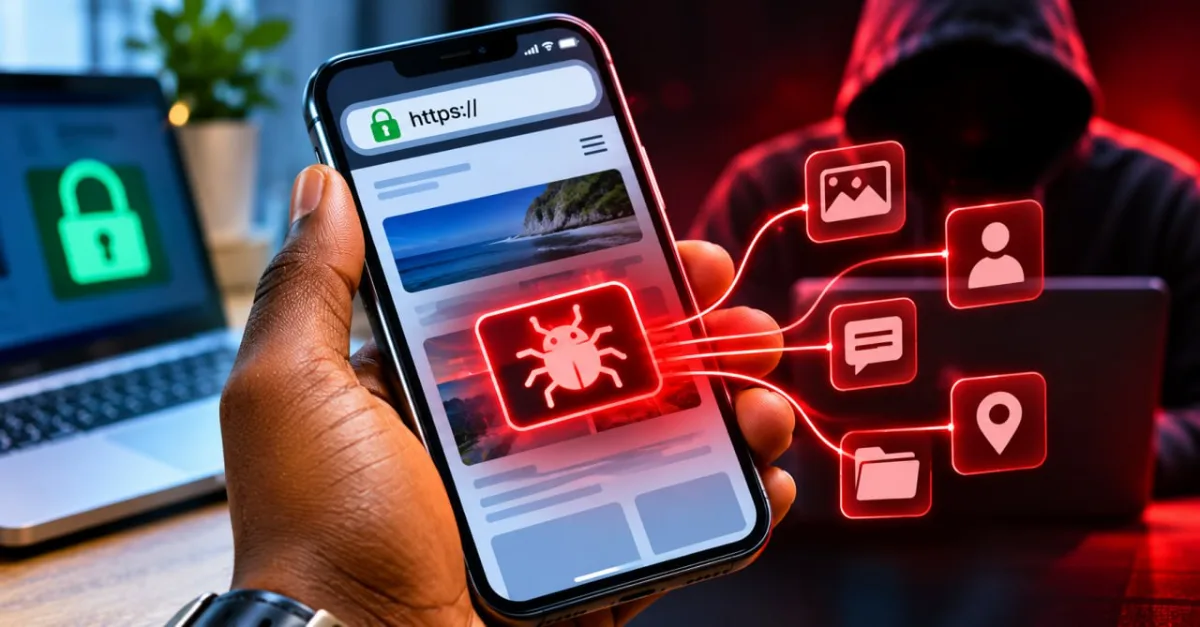
Most of us learned one simple rule about online safety: don't click strange links. It is still a good rule, but on 16 November 2026 it was not enough. Malicious JavaScript was served to visitors of websites run by 178 organisations, including the BBC, CNN and Zoom. Reports say visitors could be exposed just by opening an affected page, without clicking anything suspicious. This guide explains what happened, what the code tried to do, and the habits that help you. It also shows you how to check security news yourself.
First, the facts and what they do not mean
Security researcher Scott Helme, founder of the monitoring service Report URI, checked 1,611 Optimizely scripts and found malicious code in 188 of them. Those 188 scripts belonged to 178 organisations. Newsweek quoted Helme saying these are potentially affected websites, not 178 confirmed corporate breaches. Opening an affected site does not mean your information was stolen.
Optimizely, the company whose software was abused, says less than 5% of its customers were impacted, and that no other Optimizely product was affected. It also says that if you do not use its Web Experimentation product, you do not need to do anything.
How a trusted website ends up carrying bad code
Think of a big supermarket. The owner runs the shop, but outside suppliers stock some of the shelves. If one supplier is careless, a bad product can reach customers even though the shop itself did nothing unusual.
Websites work in a similar way. Many large sites load small pieces of code from other companies to run adverts, count visitors, show chat boxes or test designs. Optimizely is one of these suppliers. It provides software that helps businesses test and personalise their websites. Security specialists call an attack that goes through a supplier like this a supply-chain attack.
According to Report URI, each customer's page loads a script from Optimizely's content delivery network. That script has an optional custom field where the customer can add its own code. The attacker wrote malicious code into that field, and the rest of the file was left alone. Because the file still came from Optimizely's official domain, browsers treated it as trusted.
Optimizely's own status page describes the entry point differently. It says an unauthorised party exploited a flaw in the account sign-up flow to impersonate users on some customer accounts. Optimizely says it detected the activity, blocked delivery of the malicious code and closed the flaw within three hours. It also says this was not a credentials breach. When Report URI published its findings, it said it did not know how the attacker gained write access to so many unrelated customer projects. That question was left for Optimizely to answer.
What the bad code tried to do
Report URI's analysis lists several behaviours. The table below explains each one in plain language.
| What it targeted | What the code did | What it means for you |
|---|---|---|
| Crypto wallets | Replaced wallet addresses on the page with the attacker's address | Always check an address before you send money |
| Card payments | Watched form submissions to skim payment card details | Watch your card alerts and tell your bank quickly about anything unfamiliar |
| Logins and screens | Copied cookies that page scripts can read, and took screenshots near wallet or payment wording | Log out and change passwords after a scare, as shown below |
| iPhones and iPads | Read the iOS version and tried known exploit chains | Keep iOS up to date |
On iPhones and iPads, the script checked the iOS version before loading an exploit. Report URI's table links one exploit kit, Coruna, to iOS 13 to 17, and another, DarkSword, to iOS 18. The kit's own comments say that iOS 18.7.3 and later, and 26.3 and later, are patched. Report URI also describes a visible symptom on older versions: pages that reload about every 60 seconds while they retry. If a site you use does this on your phone, leave the page and update iOS.
Report URI also counted about US$7,040 sent to the attacker's wallets in the first hours of 16 November. The money came from the crypto-swapping part of the attack, which is why the wallet habits below matter.
7 habits that protect you
- Keep your phone updated. On an iPhone, go to Settings, then General, then Software Update, then Automatic Updates. Turn on Automatically Install. Apple says the phone installs updates overnight while charging and on Wi-Fi, and it notifies you before installing. Android menus differ by brand, so search your phone's Settings for "software update" and turn on automatic updates.
- Update your browser too. In Chrome on a computer, open About Google Chrome from the Settings or Help menu, let it check for updates, and tap Relaunch. On Android, update Chrome through the Play Store. Google has recently released Chrome updates to fix a flaw that attackers were already exploiting.
- Turn on transaction alerts. The Bank of Ghana advises customers to check transaction alerts, bank statements and mobile money notifications regularly, so unauthorised transactions can be caught quickly. Ask your bank or MoMo provider how to switch on alerts, because the steps differ between providers.
- Check the address before you send. After you paste a wallet address or account number, compare it with a copy from a second source, such as the wallet's own app, not the page that asked you to pay. Compare the first and last few characters at minimum.
- Guard your PIN and OTP. The Bank of Ghana's digital fraud advisory urges people to protect their PINs, OTPs and personal information. Never type a PIN or OTP into a page you reached through a link or message.
- Use two-step verification. Where a site offers a second code at login, turn it on. A stolen password is far less useful on its own.
- Log out and change passwords after a scare. If a site you use was named in an attack, log out of it where the site allows. Change the password if you entered it there during the affected period, or if you reuse that password elsewhere. Optimizely's statement says this was not a credentials breach, so this step is precautionary.
A note on blockers: an ad or script blocker from your browser's official add-on store can stop some outside scripts from loading. It can also break parts of a page, so switch it on, test the sites you use, and switch it off for any site that stops working properly.
Ghana angle: who to contact
- Never share your PIN or OTP. The Bank of Ghana has warned about phishing, impersonation scams, Ponzi schemes and SIM-swap fraud. A message that rushes you is a warning sign.
- Use the number on your card or in your bank's official app. If you think money has gone missing, contact your bank or MoMo provider straight away, using a number you found yourself, not one in a message or pop-up.
- Report cybercrime to the Cyber Security Authority (CSA) by calling or texting 292, or on WhatsApp at 0501603111.
- If someone is in immediate danger, call 112.
If you run a website
Every outside script you add is a door into your site. Add only the ones you need, remove old ones, and keep a list so you know what is loading and why.
Ask your developer about a Content Security Policy. Report URI says a policy in enforcement mode could have blocked key parts of this attack. However, Optimizely's documentation recommends a setting that allows code to run through JavaScript's eval function, and that setting let a backup copy of the malicious code run on one affected site. Allowing the vendor's domain in your policy does not protect you either, because the malicious code came from that same trusted domain. Ask your developer to review your policy and avoid unsafe-eval.
How to check a security story yourself
- Find the company's own statement. For this incident, Optimizely posted an incident page on its status site.
- Look for the researcher's original report, and read whether it says "potentially affected" or "confirmed".
- Check whether you need to act. Companies often say so directly, as Optimizely did for customers who do not use the affected product.
- Be wary of forwarded lists. WhatsApp messages with long lists of "hacked" banks or shops are often not checked. Confirm on the official page first.
The bottom line
You cannot control what a famous website loads. You can control how up to date your phone is, whether your transaction alerts are on, and how carefully you check every address and code before you act.
For scams aimed at people here at home, see Scams in Ghana right now.
Fact-checked on 19 November 2026 against official sources where they exist. Prices, menus and rules change — check the official page before you act.