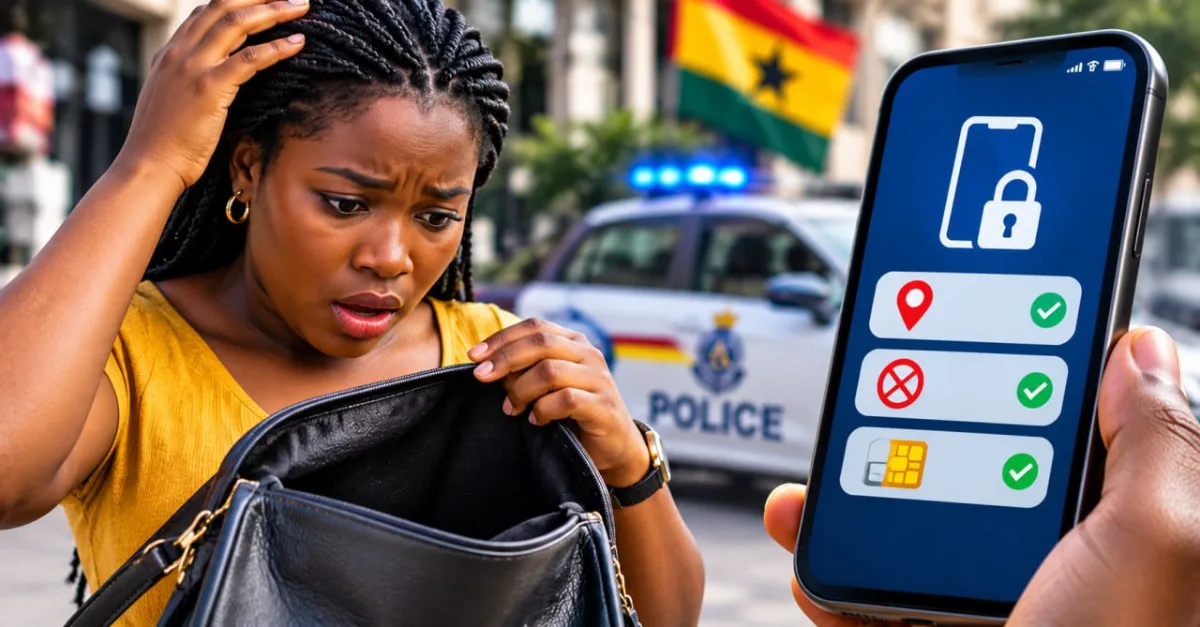
Your phone has been stolen. Whether it was snatched on the street, taken from a table, or lifted from a bag in a crowded trotro, the first steps you take decide whether you lose only the handset or also your mobile money, your bank access and your personal data.
This guide puts the steps in the order that protects you most. Where we could not confirm a phone number, short code or menu path from an official source, we have left it out rather than guess. Use it as a checklist, and save your own operator's official number now, while you still have your phone.
Step 1: Block your SIM from another phone first
Borrow a phone and call your mobile network straight away. Your SIM is tied to your number, and that number can receive the text codes some banking and mobile money services use. Blocking the SIM cuts a thief off from your number.
- MTN Ghana: MTN's own terms for Ghana give 0244 300 000 as the number to call from any network. The same terms list 111 as the number to dial from an MTN SIM or handset in Ghana. The terms say that if your SIM is lost or stolen, you should call the team immediately.
- Telecel Ghana: Telecel's terms for eSIM devices tell customers to contact Telecel Customer Care immediately if the device is lost or stolen. We could not confirm a Telecel short code or phone number from an official page, so look it up on telecel.com.gh or on your SIM packaging and save it now.
- AT (formerly AirtelTigo): We could not confirm an AT number from an official page. Check AT's official website or ask at any AT shop, and save the number before you need it.
Speed matters for money. MTN's terms state that if your SIM is lost or stolen, you remain liable for charges made on it until you notify MTN. Every hour you wait is an hour the SIM can still be used.
Have your Ghana Card details ready when you call. The NCA has described its coming SIM registration as checking identity in real time against the National Identification Authority database, so expect identity checks whenever you deal with your SIM.
Step 2: Lock or erase the phone remotely
From a borrowed phone or a computer, sign in to the service your phone uses:
- Android: sign in to Google's Find My Device with the Google account on the stolen phone. If you are not sure where the service is, search for Find My Device in your browser.
- iPhone: use the Find My service on another Apple device, or sign in to Apple's iCloud website with your Apple ID, then select the phone from your device list.
Both services offer ways to lock or erase a lost phone. The exact options depend on the service, the phone and its software, so read each option carefully. Erasing wipes the phone's data and cannot be undone, so choose it only when recovery looks unlikely. Locking is usually the first step. If the phone is switched off, the command may only take effect when it next connects, so send it anyway.
Step 3: Secure your bank and mobile money
If your banking app is on the stolen phone, call your bank's fraud or customer service line from another phone. Report the device, and ask the bank to block mobile banking from it. Use the number on your bank card or the bank's official website, not a number from a message.
For mobile money, contact your operator through the official number you saved in Step 1 and ask for your wallet to be secured. If you can reach your wallet from a safe device, change your PIN using the method your operator publishes. Never share your PIN or one-time codes with anyone who calls or texts claiming to help, including people who offer to recover your phone for a fee.
Step 4: Change your passwords from another device
Start with the accounts that can reset everything else:
- Your email account, because many other accounts send password resets to it.
- Your Google or Apple ID, which controls the phone's remote features.
- WhatsApp and social media accounts.
- Mobile banking and mobile money apps.
Where a service offers two-step verification, turn it on. Check each account's security settings for a list of signed-in devices and sign out of any you do not recognise.
Step 5: Report the theft to the police
Go to the nearest police station and report the theft. In an emergency, call 191 for the police or 112 for the national emergency number.
Ask the station for a written record of your report, with the date, the station name and the officer's name or reference number, and keep it. Insurers and telcos may ask for it. Bring what you have: your Ghana Card or passport, the IMEI if you know it, a description of where and how the phone was taken, and any proof of purchase. This is a practical list rather than an official checklist, so ask the station what it needs.
Be realistic about outcomes. Some reported cases do end with recovery. A GhanaWeb report on a 2026 case in Tarkwa describes a stolen phone being retrieved after it was reported to the police, with the people involved later sentenced. A 2024 GhanaWeb report describes police tracing an iPhone to the person who had bought it. Other press reports describe victims who felt their follow-up was poor. Recovery is possible but not guaranteed, so complete Steps 1 to 4 whatever happens with the police.
If someone has used your accounts or money after the theft, you can also report cybercrime to the Cyber Security Authority by calling or texting 292, or on WhatsApp at 0501603111.
Step 6: Replace the SIM and keep your number
Once your SIM is blocked, you will need a replacement to get your number back. Visit an operator shop or use the operator's official process, bring your Ghana Card, and ask which other documents they need. Requirements can differ between operators and over time, so do not assume a particular document is always required.
MTN has said that prepaid customers can run a self-service SIM swap through the MyMTN app or by dialling *1333#, with a live face scan. Ghana News Agency reported this in March 2026 and said the option was limited to prepaid customers at the time. Check that it still works before you rely on it.
If your phone uses an eSIM, Telecel's terms say that after a loss or theft you need a new activation QR code from Telecel before you can set the eSIM up on a replacement device. For MTN eSIMs, ask MTN for its current steps.
Your IMEI: find it now and keep a copy
Every phone has an IMEI (International Mobile Equipment Identity), a number that identifies that handset. ITWeb reported in March 2026 that Ghana's planned SIM system will use IMEI numbers to detect and blacklist stolen or unauthorised devices. To find yours, check the phone's box or receipt, or look under the device or About information in the phone's settings. Menu names differ between brands, so use your phone's manual if you are not sure.
Write the IMEI down, or save it somewhere that is not your phone, such as a paper notebook at home or a secure note on another device. Without it, reports and blocking can take longer.
The NCA says a Central Equipment Identity Register will let networks block stolen phones across all networks. Its March 2026 statement said the start date would be announced in due course, after the legal and technical frameworks are complete. We could not confirm a launch date or that the system is live, so do not assume it will block your phone yet. Check nca.org.gh for updates.
Habits that make the next theft less damaging
- Set a screen lock that is hard to guess. Avoid birthdays and simple patterns such as 1234.
- Turn on your phone's finder service (Find My Device on Android, Find My on iPhone) before you need it.
- Keep your IMEI and operator numbers saved somewhere other than your phone.
- Back up your photos and files to a cloud account or computer you control.
- Ask your operator what transfer limits apply to your mobile money wallet, so that large transfers are harder to make quickly.
None of these habits will stop a thief taking your phone. They do reduce what a thief can do with it, and they make recovery more likely.
Quick reference
| What you need | Contact | Status |
|---|---|---|
| Police (emergency) | 191 | Confirmed |
| National emergency | 112 | Confirmed |
| MTN customer care | 0244 300 000 (any network); 111 from an MTN line in Ghana | Confirmed on MTN Ghana terms page |
| Telecel customer care | Find it on telecel.com.gh or your SIM packaging | Number not confirmed |
| AT customer care | Find it on AT's official website or in a shop | Number not confirmed |
| Cybercrime reporting (Cyber Security Authority) | Call or text 292; WhatsApp 0501603111 | Confirmed |
| SIM registration and CEIR updates (NCA) | nca.org.gh | Checked |
Sources
- MTN Ghana — Terms and Conditions of Service (Pay As You Go)
- NCA Ghana — NCA DG Assures Robust, Consumer-Centric Approach to New SIM Registration Process (March 2026)
- NCA Ghana — SIM (Number) Registration FAQs (2026)
- Telecel Ghana — eSIM Terms and Conditions
- Graphic Online — SIM fraud crackdown: Government to block Ghana Cards linked to MoMo crime (March 2026)
- MyJoyOnline — Government to track, block stolen mobile devices under new SIM registration regime (March 2026)
- ITWeb — Ghana rolls out 'final' biometric SIM registration to curb fraud (March 2026)
- Ghana News Agency — MTN launches nationwide self SIM swap service for customers (March 2026)
- GhanaWeb — Four sentenced over mobile phone theft in Tarkwa (2026)
- GhanaWeb — How an iPhone exposed alleged robbers (2024)
- Ghana Business News — Growing mobile phone thefts in Ghana: A call to action (July 2025)
Fact-checked on 20 November 2026 against official sources where they exist. Prices, menus and rules change — check the official page before you act.