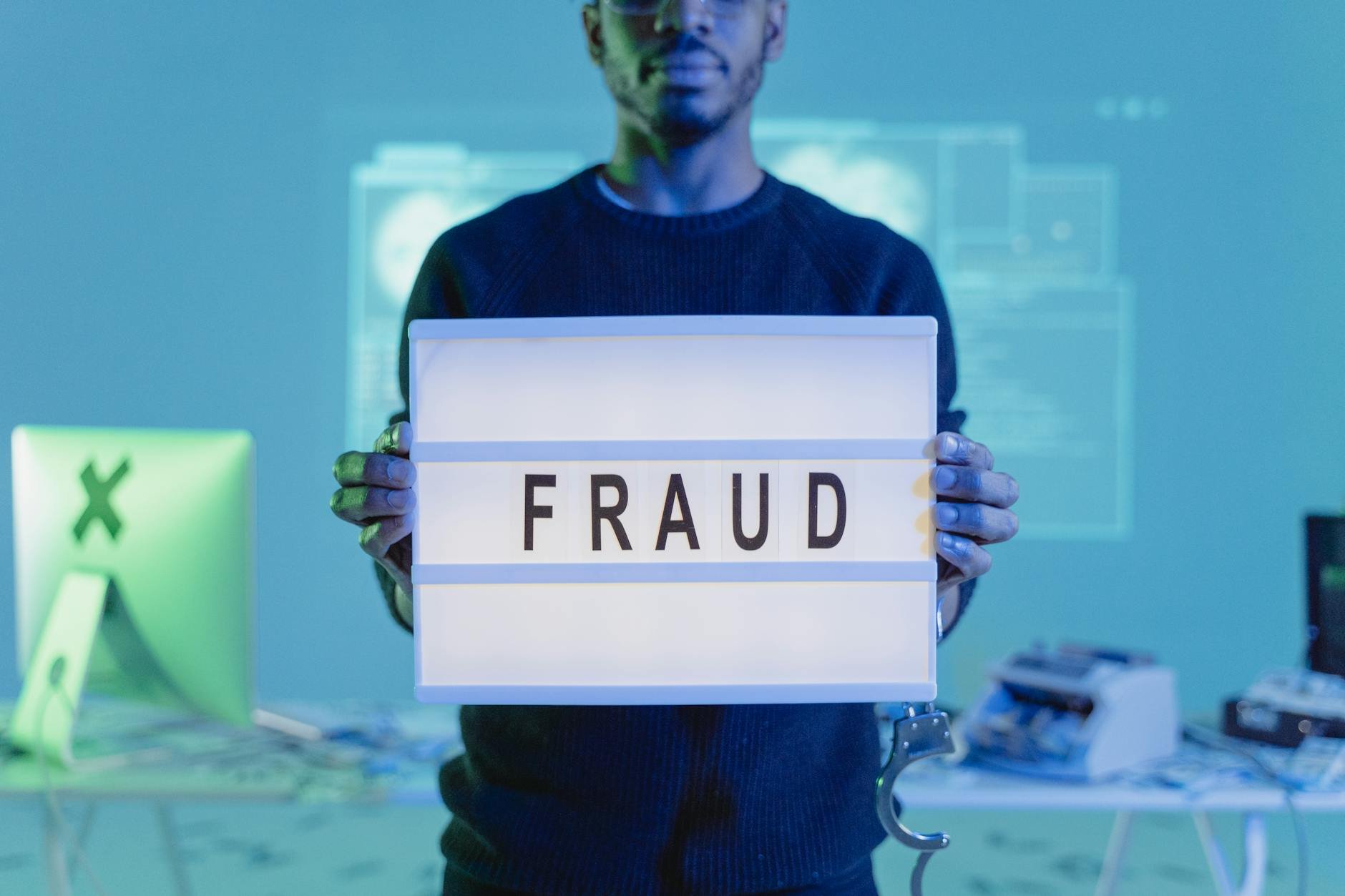
Your identity — the collection of data that defines you to governments, banks, employers, and online platforms — is worth money. Not to you, but to criminals who will use it to open fraudulent credit accounts, access your medical insurance, drain your financial accounts, or impersonate you in ways that take years to fully undo. It is also worth money to entirely legal data brokers who compile your personal information from public records and sell it to advertisers, background check companies, and anyone willing to pay a small fee.
The uncomfortable truth is that for most people who have been online for more than five years, some of their personal data has already been exposed in a breach somewhere. The question is not whether your information exists in a criminal database — it probably does, in some form — but whether the rest of your security practices make that exposure irrelevant. These 10 steps address both the prevention of new exposure and the mitigation of existing exposure.
Step 41: Freeze Your Credit — The Most Powerful Free Protection Most People Have Never Used
A credit freeze — also called a security freeze — is a setting you activate with each credit bureau that prevents any new credit account from being opened in your name. When a criminal has your ID number, date of birth, and home address (all of which are obtainable online) and tries to use that information to take out a loan or open a credit card in your name, the credit bureau check fails because your profile is frozen. The application is rejected before any account is created.
This is the most effective single action available for preventing credit fraud and identity theft related to financial accounts. It does not affect your existing accounts. It does not affect your credit score. It does not prevent you from using your current cards. It only blocks new credit applications — which you can temporarily "thaw" online in minutes when you genuinely need to apply for something yourself.
In Ghana and many African countries, credit bureau systems are developing and the freeze mechanism may work differently depending on your bank and credit institution. Contact your primary bank and ask specifically what protections are available to prevent fraudulent credit applications in your name. In countries with established credit bureaus (Nigeria, South Africa, Kenya), formal freeze processes exist and are free to activate.
Step 42: Opt Out of Data Broker Sites — Stop the Legal Harvest of Your Personal Information
There is an entire industry operating entirely legally that compiles your personal information — home address, phone number, date of birth, family members' names, property records, court records, vehicle information, voter registration — from public sources and makes it searchable for a small fee. Sites like WhitePages, Spokeo, BeenVerified, Intelius, and dozens of others provide this service to anyone willing to pay.
Scammers use these services to obtain home addresses for targeted mail fraud. Stalkers use them to locate people who have tried to disappear. Social engineers use them to build convincing profiles for impersonation attacks. The information is real, current, and detailed — and most people have no idea it is sitting there, accessible to anyone.
Each of these sites maintains an opt-out process — typically a form on their website where you submit your information and request removal. The process must be repeated on each site individually, and some sites require periodic re-submission as new data accumulates. Services like DeleteMe (paid, annual subscription) automate the opt-out process across dozens of sites simultaneously and perform regular re-submissions.
Step 43: Delete Your Zombie Accounts — The Forgotten Attack Surfaces
Think about every online account you have ever created. Not just the ones you use regularly — the ones from 2012, 2014, 2016. The photography site you joined for one project. The gaming platform you tried and abandoned. The food delivery app from a city you no longer live in. The forum you registered for to ask one question. Each of these accounts is a "zombie" — alive, holding your data, but unmonitored by you.
These old services are often less security-conscious than major platforms, slower to apply security patches, and less likely to have strong encryption on stored data. When they get breached — and small platforms are breached constantly — your email address, password (even an old one), real name, and sometimes your date of birth and address are in that stolen database. That information feeds the credential stuffing attacks that target your current accounts.
Go through your email's sent folder and look for account registration confirmation emails from services you no longer use. Log into each one and find the account deletion option — usually in Settings → Privacy or Settings → Account. If you cannot find how to delete the account, search "[service name] how to delete account." Websites like JustDeleteMe.xyz maintain a directory of direct deletion links for hundreds of services, rated by how difficult the deletion process is.
Step 44: Social Media Quizzes Are Security Question Harvesting Operations
Every few weeks, a new viral post circulates on Facebook: "What was the name of your first pet? What street did you grow up on? What was your first car? What was the name of your primary school? Drop your answers in the comments!" These posts feel like lighthearted nostalgia exercises and community games. They are also perfectly designed to harvest the answers to the security questions that protect your bank account, email, and financial platforms.
"What was your mother's maiden name?" is a standard bank security question. "What primary school did you attend?" is used by multiple financial institutions as an identity verification question. "What was the name of your first pet?" appears on almost every platform's security question list. When you answer these publicly in a comments thread, you provide that information to every person who sees the post — including any criminal who shared or boosted it to reach your network.
The person who originally posted the quiz may be entirely innocent — they may genuinely think it is a fun game. The criminal may be several shares away, watching the comments aggregate across thousands of people. The data is just as useful wherever it is collected.
The rule: treat any social media prompt asking you to publicly share biographical information — childhood addresses, family names, school names, first jobs, former cars — as a potential data harvesting exercise. Scroll past it.
Step 45: Sharenting — The Privacy Risk Most Parents Do Not Think About
"First day of Primary 3 at St. Augustine's International School! Class teacher Mr. Owusu, Room 12! So excited for the year ahead! She will be in the after-school care programme until 4:30pm, Gate C." A proud parent posts this with a photo. It is shared by grandparents, aunts, uncles, and family friends. Within hours, the post has been seen by hundreds of people — most of whom are genuinely happy for the family.
It has also, publicly, disclosed the child's full school name, teacher's name, classroom number, pickup time, pickup gate, and a current photograph of the child in their school uniform. This information is useful for targeted approaches by anyone with bad intentions toward the child or family — an estranged relative, a predator, or a social engineer crafting a scenario to extract money from the family under the pretence of a school-related emergency.
The principle for sharing information about children online is identical to the principle for sharing any sensitive data: ask what a stranger could do with this information if they encountered it. School names, daily schedules, pickup locations, and classroom details should never appear in publicly accessible social media posts. Restrict audience settings to close friends and family for anything involving children's routines.
Step 46: What the Dark Web Actually Is — Demystified for Normal People
The "dark web" is portrayed in news media as a sinister, technically inaccessible netherworld where only criminals operate. The reality is far more mundane and, if anything, more practically relevant to understand than the dramatised version. The dark web is simply a part of the internet that is not indexed by standard search engines and requires specific software (most commonly the Tor browser) to access.
The criminal portions of it are not primarily shadowy marketplaces of exotic illegal services — they are, more than anything else, databases. Enormous, searchable databases of leaked credentials — email addresses, passwords, phone numbers, card details — bought and sold in bulk for fractions of a cent per record. Your email address may be in several such databases already, if sites you used in the past were breached.
Step 47: Delete Does Not Mean Gone — How to Actually Wipe a Device
When you drag a file to the Recycle Bin and empty it, or format a hard drive, the data is not erased. The operating system marks that storage space as "available for new data" — but the original information remains physically on the drive until it is overwritten. Freely available file recovery software can restore "deleted" files from drives that have been emptied, formatted, or even subjected to a standard factory reset.
This matters enormously when selling, donating, or disposing of old phones, laptops, or external drives. A second-hand laptop sold without proper data wiping may contain years of personal photos, financial documents, saved passwords, work files, and private communications — all recoverable by the new owner with basic software tools.
The correct process before any device changes hands: for laptops, use a secure wipe tool that overwrites all data multiple times (DBAN for Windows, the built-in Erase function on Mac). For phones, enable full-device encryption first (on Android — iPhones encrypt automatically), then perform the factory reset. Encryption means that even if data remains on the storage, it is unreadable without the encryption key — which is deleted with the account.
Android: Settings → General Management → Reset → Factory Data Reset. Enable encryption first in Settings → Security → Encryption if it is not already active.
Step 48: Medical Identity Theft — The Fraud That Threatens Your Health
Medical identity theft is less well-known than financial identity theft but can have more serious and lasting consequences. A criminal uses your health insurance credentials — your member ID, your policy number, your name and date of birth — not to access your medical records, but to receive healthcare, prescriptions, and medical procedures billed to your insurance as if they are you. Surgery, dentistry, specialist consultations, and controlled substance prescriptions have all been documented under victims' identities.
The consequences extend beyond financial loss. If a criminal receives a blood transfusion, an organ transplant workup, or treatment for a chronic condition under your identity, their medical history becomes mixed with yours in healthcare records. A future doctor treating you may make decisions based on a medical history that is partially someone else's — including allergies, blood type, or existing conditions that do not apply to you but are recorded as yours.
Review your health insurance "explanation of benefits" statements carefully whenever they arrive — these list what services were billed to your insurance, when, and by which provider. Any entry you do not recognise should be reported to your insurance provider immediately. Never share your insurance card or member ID number with anyone who did not provide you with healthcare services.
Step 49: Have I Been Pwned — Check Your Email Right Now
Have I Been Pwned (haveibeenpwned.com) is a free, legitimate public service maintained by Troy Hunt, a widely respected security researcher. Enter any email address into the search field, and the site will immediately tell you which known data breaches included that email address — the name of the service that was breached, the date of the breach, and exactly which categories of data were exposed (passwords, phone numbers, physical addresses, dates of birth, etc.).
This is not a commercial service trying to sell you protection. It is a public resource built from the same breach data that criminals use, made accessible so that ordinary people can understand their own exposure. It does not store your email address beyond the search query, and it does not require any account or payment.
Step 50: The Five-Second Pause — The Most Powerful Cybersecurity Tool in the World
This final item is the most important one in this entire five-part series, because it is the one that makes every other tip relevant in a real moment of threat. Every scam, every phishing attack, every social engineering attempt, every fraudulent payment request — they all succeed by creating a sense of urgency so powerful that the target acts without thinking. Your account is being deleted in 24 hours. Your family member needs help right now. The investment closes at midnight tonight. Your package will be returned today. You must act immediately.
Criminals understand human psychology deeply. They know that a panicked person does not verify, does not stop to call someone, does not think about whether this makes sense. They know that urgency is the master key to bypassing every rational defence a person has. Every technical security measure in the world — two-factor authentication, strong passwords, VPNs, encrypted devices — can be circumvented if the person behind them is panicked enough to hand over credentials voluntarily.
The five-second pause is not about being paranoid or untrusting. It is about giving your rational mind the time it needs to catch up with the emotion that an attacker just triggered. Five seconds is enough to ask: "Did I initiate this? Does this make sense? What happens if I wait ten minutes before acting?" In most genuine emergencies, ten minutes makes no difference. In every scam, ten minutes ends the threat entirely.
The habit is this: when something urgent, unexpected, and digitally-delivered asks you to act immediately — pause. Count to five. Then ask: "Did I initiate this interaction, or did it come to me unsolicited?" If it came to you, verify it through a completely separate channel before doing anything. Call the number you already know, visit the website by typing the address manually, or call the institution directly using the number on their official website. Not the number in the message. Not the number on the pop-up. The number you find independently.
You Are Now in the Top 10% of Digitally Aware People
If you have read all five articles in this series, you now understand more about how cybercrime actually works than the vast majority of people who use the internet daily. Not because the information is secret — it is all documented, researched, and publicly available. But because almost no one takes the time to seek it out and understand it in plain terms.
The 50 risks covered across this series are not designed to frighten you. They are designed to remove the mystery. A threat you understand is a threat you can defend against. A scam you recognise cannot be completed. An attack that relies on your ignorance fails the moment you are no longer ignorant. That is the entire point of cybersecurity awareness — and it costs nothing except the time it took you to read this.
The Full Cybersecurity Playbook — All 5 Parts
- Part 1: 10 Real-Life Scam Teardowns Every Family in Ghana Needs to Read Right Now
- Part 2: 10 Password and Account Mistakes That Are Silently Costing People Money
- Part 3: 10 Smart Home and Physical Security Risks Most People Do Not Know About
- Part 4: 10 Travel and Public Space Security Traps to Avoid in 2026