Most people put a quality padlock on their gate, bars on their windows, and a security light in the yard — and then leave their digital home completely unguarded. In 2026, the average household has more internet-connected devices than a small office had in 2010: a router, a smart TV, a baby monitor, a security camera, a voice assistant, smart bulbs, a streaming device, and phones and laptops for every family member. Each one of these devices is a potential entry point. Each one has settings, defaults, and vulnerabilities that most people never think about.
This is not about being paranoid. It is about understanding that the effort required to protect your digital home is genuinely small — far smaller than securing a physical one — and the consequences of ignoring it can be severe. These 10 risks are the ones that security researchers find exploited most consistently in home environments.
Risk 21: The Default Router Password — The Key Under the Mat
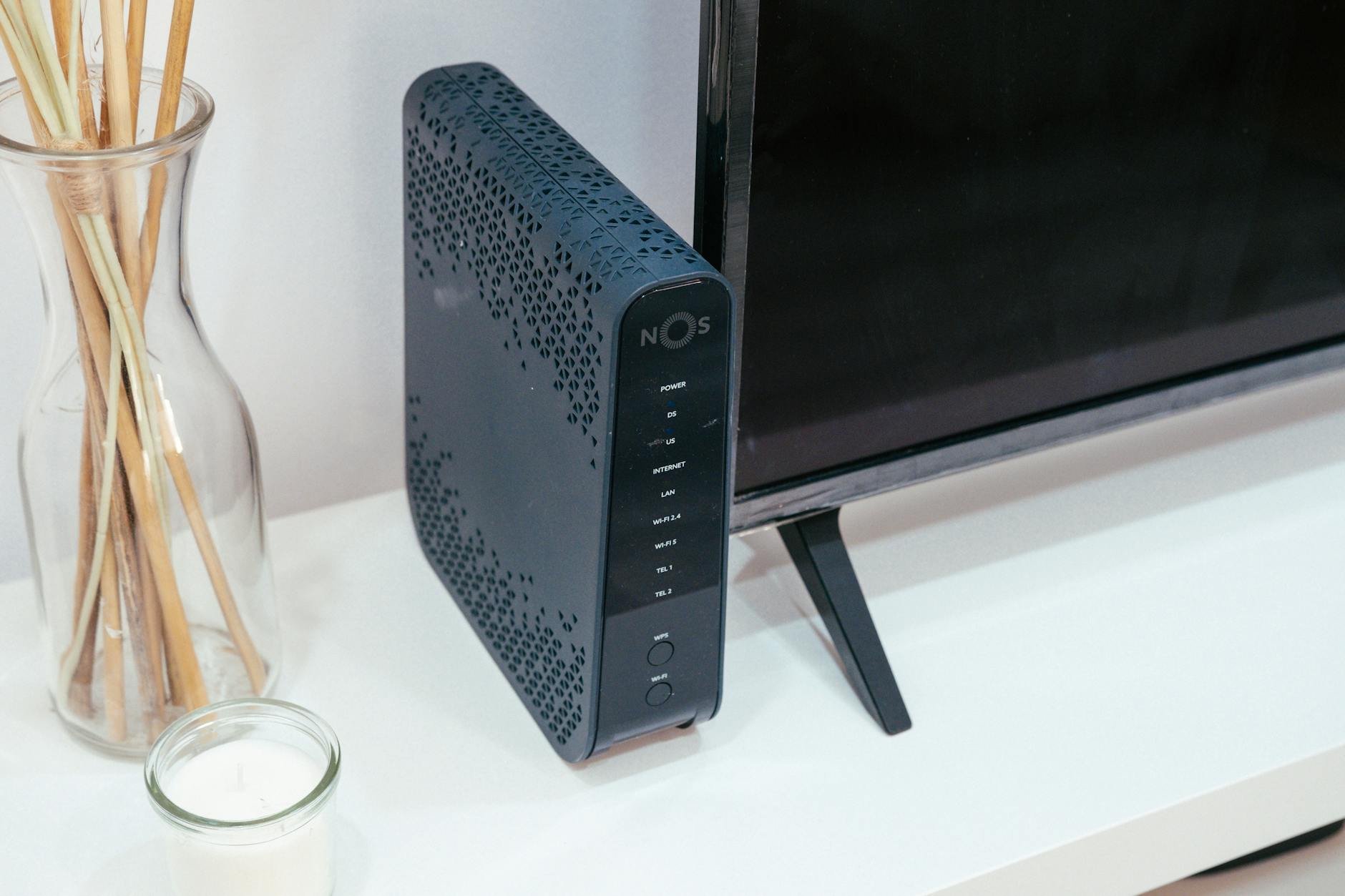
Think of your internet router as the front door to your entire digital home. Every device you own — phones, laptops, smart TVs, cameras — connects to the internet through it. Your router also has an admin panel: a settings page where you can control everything about how your network behaves. That admin panel is protected by a username and password. The problem is that almost every router ships from the factory with the same default credentials, printed on a sticker on its back — something like "admin / admin" or "admin / 1234" or "admin / password."
These default credentials are publicly documented on the internet. Type your router model number into Google followed by "default password" and you will find it in seconds. Anyone who connects to your Wi-Fi network — a guest, someone within range who cracks your Wi-Fi password, or someone who physically accesses your router — can log into your router admin panel and change settings, redirect your internet traffic, monitor everything flowing through your network, or use your connection to conduct criminal activity.
Changing your router's admin password takes under three minutes. Open a browser and type 192.168.1.1 or 192.168.0.1 into the address bar (one of these will open your router settings). Log in with the default credentials on the sticker. Find the Admin Password or Management section and change it to something unique. While you are there, make sure your Wi-Fi password is also strong — at least 12 characters of mixed types.
Risk 22: The Smart Camera Peeping Tom — Watching You From Anywhere in the World
Cheap security cameras and baby monitors sold online — particularly unbranded ones from marketplace sites — are among the most commonly exploited home devices in the world. Here is why: many of these devices ship with default admin usernames and passwords (often "admin/admin" or no password at all), and many owners never change them. These cameras connect directly to the internet, and a website called Shodan — a search engine for internet-connected devices — indexes them automatically.
This means anyone, anywhere in the world, can search Shodan for cameras with specific default credentials and watch live feeds from cameras in strangers' homes, bedrooms, living rooms, and nurseries. This is not theoretical. It is happening continuously. Dedicated criminal forums share links to these feeds as entertainment.
The protection has two parts. First, only buy cameras from established, reputable brands — Arlo, Ring, Nest, TP-Link Tapo — that have genuine security teams maintaining their firmware and responding to discovered vulnerabilities. Second, change the camera's admin password immediately upon installation, enable two-factor authentication if the platform offers it, and ensure automatic firmware updates are active. Never position indoor cameras where they can see bedrooms or bathrooms under any circumstances.
Risk 23: Your Smart TV Is Listening — and Sending What It Hears
Modern smart TVs include "voice data collection" features that are enabled by default. The television is in a passive listening state, waiting for a wake word — much like a smart speaker. When voice features are active, audio captured by the built-in microphone is transmitted to the manufacturer's servers and often to third-party advertising partners for processing. Samsung's privacy policy famously included language acknowledging that "personal or other sensitive information" spoken near the TV may be captured.
This is not a conspiracy theory. It is standard disclosed practice buried in the terms of service that almost no one reads at device setup. Your TV is, in a meaningful sense, a listening device in your living room — one that sends what it hears to servers you have no visibility into, for purposes that include targeted advertising.
Turning this off is straightforward. On Samsung TVs: Settings → General → Voice → turn off Voice Wake-up and Voice Recognition. On LG: Settings → General → AI Service → Voice Recognition Settings → disable. On Sony: Settings → Device Preferences → Google → Activity Controls → disable Voice and Audio Activity. The process varies slightly by model year but the option exists on every smart TV manufactured in the last five years.
Risk 24: Smart Door Locks — Convenience That Comes With an Asterisk
Bluetooth and Wi-Fi smart door locks are genuinely convenient: unlock your door from your phone, share access codes with guests remotely, and receive alerts when the door is opened. The security concern is not that these features are inherently bad — it is that many smart lock models, particularly older or budget versions, stopped receiving security firmware updates years ago, and known vulnerabilities in their software have never been patched.
Security researchers have demonstrated attacks against specific smart lock models that allow an attacker within Bluetooth range to unlock the door without knowing the code — simply by exploiting unpatched software. The lock looks and functions normally; there is no physical sign of tamper. A traditional deadbolt cannot be hacked from a laptop three streets away.
The question to ask before buying any smart lock is: "Does this manufacturer have a security response team? How recently was the last firmware update released? What happens to this lock's security when the company stops supporting it?"
If your smart lock is from a company that has since gone out of business, or has not received an update in over two years, replace it. Physical security is too important to entrust to abandoned software.
Risk 25: The Car Key Fob Relay Attack — Stolen Without a Scratch
If you own a modern car with keyless entry and push-button start, your car key fob is constantly broadcasting a low-powered signal. The car listens for this signal and unlocks when the key is nearby. It is a seamless, elegant system — and it has a serious flaw that thieves have been exploiting for years.
Two criminals work together. One stands near your front door — even outside on the pavement — with a relay amplifier that boosts and captures your key fob's signal through the wall. The second stands next to your car with a receiver that tricks the car into thinking the key is right there. The car unlocks and starts. The entire operation takes under 60 seconds and leaves no trace of forced entry. Your insurance company sees no evidence of break-in and the theft investigation becomes complicated.
Risk 26: AirTag Stalking — When a Helpful Tool Becomes a Tracking Device
Apple AirTags were designed to help people find lost items — keys, bags, wallets. A tiny coin-sized device is placed on or in the item, and its Bluetooth signal is detected by any nearby iPhone in Apple's vast network, updating the item's location in your Find My app without draining battery or requiring mobile data. For finding lost luggage or misplaced keys, it is genuinely useful.
It has also been misused by stalkers and abusive partners who slip an AirTag into a bag, under a car bumper, inside a jacket pocket, or in a child's school bag to track someone's movements without their knowledge. Apple built in anti-stalking alerts — iPhones notify the user if an unknown AirTag has been travelling with them — but Android users receive no such automatic notification and are considerably more vulnerable.
If your iPhone displays a notification that "An AirTag is Found Moving With You," take it seriously. Open the Find My app to find the AirTag on your person or in your belongings. If you feel unsafe, go to a public place or a police station before beginning your search. The AirTag is evidence — do not discard it.
Risk 27: The Second-Hand Smart Device Trap
A smart bulb, smart plug, or networked thermostat purchased from a second-hand market or online resale platform may still be associated with the previous owner's account. When installed and connected to your home network, the previous owner — or whoever they sold it to — may retain the ability to control the device remotely. In more deliberate cases, a compromised device could be used as a point of entry into your home network, monitoring traffic or scanning for other vulnerable devices.
This sounds extreme, but the principle is sound: you do not know what software is running on a used smart device, who configured it previously, or what remote access remains active. The fix is simple and non-negotiable: factory reset every smart device before connecting it to your network. The factory reset procedure for any device is available on the manufacturer's website and usually involves holding a button for ten seconds. Do it before setup, every time.
Risk 28: The Found USB Drive — The Oldest Trap That Still Works
A USB flash drive sitting on the ground in a car park, near an office building entrance, or in a school corridor is almost certainly a deliberate trap. This attack method — called "baiting" — has been studied by security researchers for decades, and the results are consistently startling: the majority of people who find a USB drive plug it into a computer out of curiosity. "Let me just see what is on it."
A malicious USB drive can install ransomware, keyloggers, remote access tools, or data-exfiltration software within seconds of being plugged in — often before any antivirus software can detect and respond. Some specially crafted USB devices, called "BadUSB" devices, present themselves to the computer as a keyboard and begin typing commands automatically the moment they are connected, bypassing all file-scanning security entirely.
The rule is absolute: if you find a USB drive and do not know its provenance, hand it to a security officer, put it in a bin, or destroy it. There is no safe way to "quickly check" what is on an unknown USB drive on any computer you care about.
Risk 29: Modern Shoulder Surfing — The Camera That Sees Your PIN
Traditional shoulder surfing — someone literally looking over your shoulder at an ATM or mobile money agent — is a known threat that most people are already cautious about. But modern shoulder surfing has evolved considerably. In busy market areas, bank queues, and fuel station lines, criminals use smartphone cameras with digital zoom to record PIN entry from distances of up to ten metres or more. The footage is reviewed later to extract the PIN, while the card details are obtained separately through a skimmer on the machine.
The defence requires no technology: cup your non-dominant hand over the keypad whenever entering a PIN, regardless of how empty the surroundings appear. This single physical habit takes less than a second and defeats both traditional and camera-based shoulder surfing entirely. Make it automatic — do it every time, at every machine, without exception.
Risk 30: Your Smart Speaker Is Also a Shopping Assistant for Your Children
Amazon Echo, Google Home, and similar devices are designed to respond to voice — any voice in the room, including your children's, your visitors', and in documented cases, the voice of characters on television. Researchers have demonstrated that certain TV advertisements and YouTube videos can contain phrases that trigger voice assistant commands, including purchase requests. Multiple parents have discovered unexpected deliveries after their children discovered that the device responds to requests for toys, snacks, or games.
Beyond the financial inconvenience, any device permanently connected to a speaker and microphone in your home that also has access to your payment method deserves deliberate configuration. Set a voice purchase confirmation PIN through the device's companion app — this means a spoken PIN is required before any purchase completes. Review your linked payment methods. If the device does not need to be able to make purchases independently, disable that feature entirely. The smart speaker is still fully functional without shopping access.
The Home Network Security Principle That Changes Everything
Every device connected to your home Wi-Fi is on the same local network as your phone and laptop. A compromised smart bulb can theoretically be used as a staging point to scan and reach your computer. The concept that most home security guides overlook is network segmentation: keeping your smart home devices on a separate Wi-Fi network from your computers, phones, and tablets. Most modern routers support this through a guest network feature — no additional hardware required. Smart home devices connect to the guest network; your important devices connect to the main one. A breach on one network cannot easily cross to the other.
Continue the Cybersecurity Playbook
- Part 1: 10 Real-Life Scam Teardowns Every Family in Ghana Needs to Read Right Now
- Part 2: 10 Password and Account Mistakes That Are Silently Costing People Money
- Part 4: 10 Travel and Public Space Security Traps to Avoid in 2026
- Part 5: 10 Ways to Lock Down Your Identity and Personal Data Before It Is Too Late